
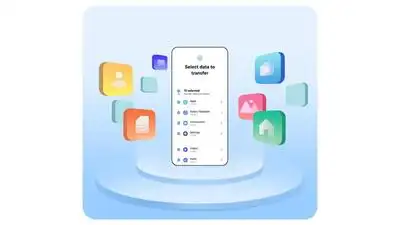
With One UI 9, the company’s Smart Switch app now allows users to seamlessly transfer data from iOS or Android devices, reducing the hassle of setting up a new phone. Samsung has introduced a new update to make moving to the Galaxy Z Fold8 easier than ever. Enhanced Quick Share also improves cross-platform file sharing, ensuring smoother connectivity with friends, family, and colleagues.
With One UI 9, users no longer need to install Smart Switch separately on their iOS device. Beyond setup, Samsung has enhanced Quick Share for devices running One UI 9 and One UI 8.5. The updated Smart Switch also supports wireless connections, eliminating the need for cables or adapters during setup.
By scanning a QR code displayed on their new Galaxy, they can begin transferring data instantly. Smart Switch now supports a wider range of data transfers from iOS, including passwords, passkeys, call history, accessibility settings, and eSIM information, alongside photos, messages, contacts, calendars, and apps. These additions help users recreate their personalized smartphone experience quickly, making the Galaxy Z Fold8 feel familiar from the start. With AirDrop compatibility, users can share files easily between Galaxy and iOS devices. By simplifying the switch, expanding transferable data, and improving cross-device sharing, Samsung aims to reduce barriers between ecosystems and make the transition to Galaxy smoother and more convenient.
Pingback: Samsung has introduced festive promotions for its Galaxy Tab S10+: The wider industry