
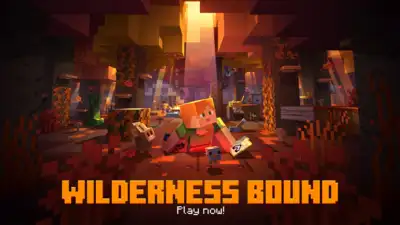
The new Minecraft update is finally out (Image via Minecraft)
In the section below, we’ll take a look at how to download and install the Minecraft Bedrock 26.50 update on your devices. Steps to download Minecraft Bedrock 26.50 update The Minecraft Bedrock 26.50 update has started rolling out globally and you can now download it on all the available platforms. The launcher will automatically fetch and download build 26.50. Select Updates and initiate the download for the 26.50 patch. The console will automatically find, download, and install version 26.50. Launch Minecraft on your Nintendo Switch / Switch 2. This was all you needed to know about downloading the Minecraft Bedrock 26.50 update on all the platforms.
If you have automatic updates enabled in your system settings, the game may have already updated.
The much-awaited Minecraft Bedrock 26.50 update with the “Wilderness Bound” features has been officially rolled out. This is the third major patch of the year, introducing a variety of new content that primarily focuses on exploration. It ended up adding a host of rich environmental additions, major graphical overhauls, and quality-of-life improvements. Some of the major highlights include the addition of the new Dappled Forest Biome, Abandoned Camps, Straw Beds, and more. To help you out with the same, here is a detailed step-by-step guide that you can follow: First, open the Minecraft Launcher on your PC and select Minecraft: Bedrock Edition from the left-hand sidebar. You must ensure the drop-down menu next to the Play button is set to the Latest Release. Navigate to My Games & Apps from your main Xbox dashboard. Highlight Minecraft, press the Menu button (three horizontal lines) on your controller, and select Manage game and add-ons. Locate Minecraft on your PlayStation home screen or within your Game Library. Press the Options button on your DualShock or DualSense controller. Select Check for Update from the side menu. Android (Google Play Store) Open the Google Play Store app and tap on your profile icon in the top right corner. Navigate to the Updates available section and find Minecraft in the pending list. Upon proceeding with the update, you will soon be able to experience all the new features. iOS (Apple App Store) Open the App Store and tap your profile icon in the top right corner. Scroll down to refresh the page and view your pending app updates. Locate Minecraft and tap the Update button next to it to begin the download. After opening the game, you will find a pop-up appearing on the screen, specifying the new update. It will redirect you to the game’s Nintendo eShop page, where you can directly download the update. If you have not received the in-game notification, you may also manually navigate to the eShop and download the game’s latest release. Get the latest Sports News and Live updates. Download the TOI app.
Pingback: Mojang has released Minecraft 26.4 Snapshot 4, adding two new features that make