
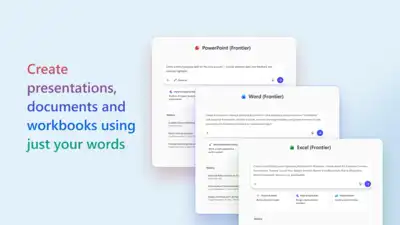
At Microsoft Ignite 2025, Microsoft announced the introduction of dedicated Word, Excel, and PowerPoint agents within Microsoft 365 Copilot. These new agents will allow users to create documents, spreadsheets, and presentations directly in Copilot Chat. The agents use advanced reasoning models to produce structured, high-quality output for productivity tasks. This integration will allow users to start projects in Copilot Chat using natural-language prompts to generate initial drafts quickly. The agents are designed to guide the user by asking clarifying questions, helping to shape the output to match specific goals and uses, whether the task is drafting a strategic plan, analysing data, or building a presentation.
A key challenge was building a secure environment in which agents could run independently while maintaining safe access to Microsoft 365 services. Apart from this, Microsoft says that Word, Excel, and PowerPoint Agents in Microsoft 365 Copilot are only the early steps. A new feature called Agent Mode will extend Copilot’s capabilities within each app, enabling direct edits and changes with powerful, application-specific tools, thereby enhancing interactivity and action. Notably, Agent Mode for PowerPoint is new to the Frontier program, which adds enhanced creation and editing capabilities to presentations. Microsoft explains that its goal was to bring the idea of coding agents from software engineering into Office. The company wants Office agents to handle long, complex tasks for users and to create high-quality Word documents, Excel sheets, and PowerPoint decks. The agentic harness uses a skills-based design that lets Office agents plan and work together in a modular way. The company created a protected sandbox with controlled access to resources. Complex agents remain difficult to build, so Microsoft added harness hooks and sub-agents to maintain control and reliability. Each agent runs in a locked-down container with no direct internet access, using secure APIs and a brokered WebSocket for communication. Instead of creating Office files directly, the agent first produces an intermediate format that later becomes a full Office document. This helps protect user data and ensures accuracy. Office apps generate the final files, which preserve formatting, themes, formulas, and security features such as sensitivity labels. The system also uses Work IQ to bring in approved enterprise context from Microsoft Graph, such as notes or emails, only with the user’s permissions. Files are stored safely in OneDrive, where Microsoft’s policies and protections keep them safe. The agents also use multi-step reasoning, similar to how a human consultant works. This includes planning, researching, drafting and reviewing. They run checks during the process to confirm calculations and improve drafts. This leads to more accurate and consistent results. The company even reused many elements from Office’s existing Agent Mode, helping ensure consistency and speeding up development as Office continues to evolve. As more organisations join the Frontier program, the company plans to add new features, improve the overall experience, and respond to user feedback. Upcoming updates may include better use of enterprise data in Excel, smoother switching between chat and the apps, and new ways to work and create together.
To do this, they built an “agentic harness,” a system that helps agents plan and complete tasks using AI models. These agents use the same Word, Excel, and PowerPoint skills available in Agent Mode, but now inside Copilot Chat. The agents can plan, check, and refine their work in multiple steps, which helps them produce steady and reliable results. With Microsoft’s Office architecture and enterprise systems, this becomes an essential step toward AI-supported content creation. Early testing shows that the output quality is similar to that of other agent systems, and the team expects further improvements over time.
Microsoft says more updates are on the way as Copilot continues to grow as an AI partner in Word, Excel, and PowerPoint. Once the initial draft is ready, users can easily move into the specific apps like Word, Excel, or PowerPoint for further editing and customisation. Within these apps, Copilot will continue to assist with refining content and applying formatting. These agents are designed to support users as they write documents, study data, or build presentations, helping them move from an idea to a final result with less effort.
Pingback: At Microsoft Ignite 2025, Microsoft announced Agent 365, a new: The wider industry impact
Pingback: Microsoft has announced that it prevented the largest-ever cloud: The wider industry
Pingback: Google Play announced its Best of 2025 awards, recognizing standout: The wider industry