Image via Riot Games.
If the Shotcall prompts don’t appear even after setting everything up, try checking out the Twitch extension control icon on the right side of the screen and set the Shotcall feature to ‘Visible. Also, make sure to enable the audio option the Shotcall settings tab which will give an audio reminder every time a Shotcall prompt appears on the screen.
First, tune into one of three official VCT Americas Stage 2 Twitch channels during a live match. Because the majority of the credit of the team’s performance lies on the shoulder of the shotcaller – be it a brilliant one, or a disastrous display, this is actually a pretty exciting but risky and responsible job,. Valorant has recently launched a viewer-facing PC-only Twitch extension for the VCT Americas broadcasts, which is called the Shotcall.
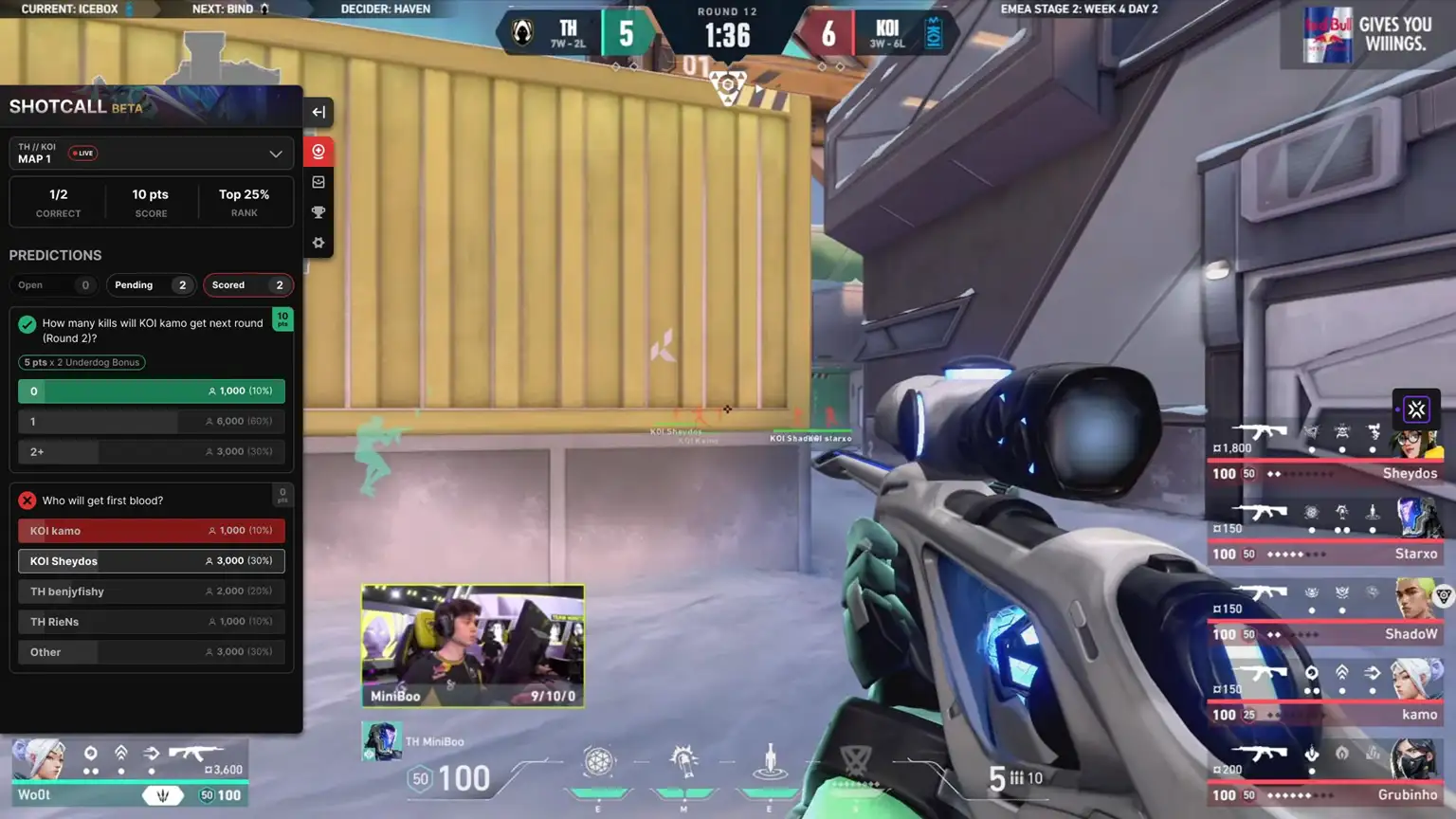
In tactical shooters like Valorant, putting proper strategy is everything. That is why, every professional Valorant team features an IGL or often called as shotcallers. They are the ones who take the major decisions of any match, like which site to choose, rotations, positions, and more. However, now it seems the fans can also become a shotcaller for the official Esports tournaments, but without the risk of fumbling in the actual matches. With this feature, fans will be able to predict all the in-game aspects, like how many kills a certain player is going to get in a round, which game is going to win a particular round, who is going to get the entry frag, and many more. Correct predictions for each in-game outcome will grant players freebies. Each correct call will make the players climb up the leaderboards and hitting a particular point milestone will get them even higher-valued in-game rewards like Kingdom Credits, Player Cards, and many more. From there, you have to select your preferred outcome options.
After that, hover your cursor over the video player and click on the red crystal-like ball icon to log in with your Riot ID. (Remember, this step is mandatory, even if you have already linked your account for Twitch Drops) After you have successfully activated the Shotcall feature on Twitch, a prediction prompt will appear on the screen before the start of a round with a short window to predict various in-game outcomes.