
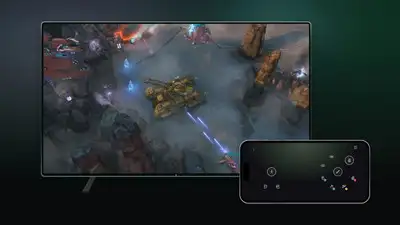
Image credit: Xbox
Xbox says the feature is rolling out in countries that support Xbox Cloud Gaming. However, it remains a test, and availability may vary by game or device. The company is also introducing a separate US preview that connects its new Xbox Nano Controller directly to cloud gaming servers over Wi-Fi.
How will smartphones work as Xbox controllers
To start with, players will need the latest supported Xbox Smart TV experience and a compatible Android or iPhone. To enable the feature, users must open Settings > Account and turn on Preview Features. When they launch a game without a physical controller connected, an option to use a phone will appear for that session.
What is the Xbox Nano Controller preview
Xbox says this can reduce input latency, the delay between pressing a button and seeing the corresponding action on screen. Separately, players in the US can test cloud connect with the Xbox Nano Controller on supported Smart TVs and the web. Instead of connecting to a television through Bluetooth, the controller uses Wi-Fi to communicate directly with the cloud server running the game. Setup is available through the Xbox beta app on Android or the Xbox Accessories app on PC. The PC route requires Xbox Insider enrolment. Players must connect the controller to Wi-Fi and sign in to the supported cloud gaming experience using the same Xbox account used during setup.