
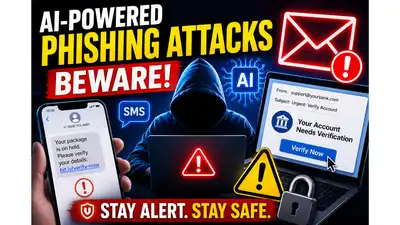
AI generated image for representation
Cybercriminals Employ AI for Advanced Phishing Attacks
Cybercriminals are increasingly leveraging artificial intelligence (AI) to enhance the sophistication of phishing attacks. In 2026, these attacks feature realistic emails, text messages, social media posts, and even voice calls, making them nearly indistinguishable from legitimate communications from banks, delivery services, government agencies, and popular online platforms. Unlike traditional scams, which often contained spelling errors and suspicious links, the current wave of phishing attempts presents a more polished and credible facade.
In related news, ‘The Times of India’ has introduced ‘Hack of the Day,’ a new weekday series aimed at providing quick, practical solutions to everyday challenges. Each hack aims to save users time, money, or stress by utilizing accessible tools, such as government websites and common applications, promoting smarter living through simple fixes.
Phishing attacks continue to evolve in 2026, and awareness remains one of the most effective ways to stay protected online. Be cautious if a message claims that: Your account will be suspended immediately A payment has failed You have won a prize Your package cannot be delivered You must verify your identity right away Ensure your devices and software are always up to date. A phishing attack is a cybercrime where attackers impersonate a trusted person, company, or organisation to trick users into sharing personal information or downloading malicious software. Phishing emails can be sent by email, SMS, messaging apps, social media sites, collaboration tools, QR codes, and even by AI-generated voice calls. Attackers will often try to create a sense of urgency to pressure you into acting without thinking. Cybercriminals increasingly target personal and financial information. Clicking on a malicious link can result in stolen passwords, compromised accounts, identity theft, or financial loss. As AI tools become more accessible, phishing messages are becoming harder to distinguish from legitimate communications. Learning how to identify warning signs can help prevent account takeovers and fraud. One of the most common phishing tactics is creating a sense of panic or urgency. Treat urgent messages or those that look suspicious with utmost caution. Remember always that scammers nowadays use AI to create convincing emails, texts, voice calls and videos that look very much like the original A few extra seconds to verify a message can help prevent identity theft, account compromise and financial fraud. Get the latest technology news and updates. Download the TOI App.
In 2026, cybercriminals increasingly use AI-generated voices and deepfake videos. Weird country domains For example, a phishing email claiming to be from Microsoft may use an address such as [email protected] rather than an official company domain. Never click on a link immediately. On your computer, hover your mouse over the link to see where it goes. Long-press the link on a smartphone to see a preview of the URL. Ensure that: The website address matches the company name. The domain has odd characters. There are additional words or numbers in the URL If you don’t trust the destination, don’t open it. Legitimate companies usually personalise important communications. Be cautious if messages begin with: Dear Customer Dear User Dear Sir/Madam Valued Customer Generic greetings can indicate that the message was sent to thousands of potential victims. A lot of phishing campaigns still have odd language, grammatical mistakes and odd sentence structure. Coming up next: Grammar poor Odd formatting Incorrect logos Mixing fonts and colours AI scams are getting better, but errors are still a common sign that they’re fake. Cybercriminals often distribute malware through attachments. Avoid opening files that you were not expecting, especially: ZIP files EXE files Office documents requesting macros PDF files from unknown senders If you are not sure, it’s better to verify the message with the sender through an official channel before opening the attachment. Don’t make the mistake of relying solely on the information provided in the message whenever you find a message that claims to be from your bank, employer, government agency, or online service, instead: Directly visit the official website Always use a saved bookmark Call the official customer service number if you’re facing any problem Open the official mobile app It’s important to note that it’s better not to use phone numbers or links included in suspicious messages. Be alert if someone: Claims to be a family member needing urgent money Requests confidential information Pressures you to act immediately Refuses verification through another communication method If in doubt, contact the person directly through a known phone number or another trusted channel. What to do if you receive a phishing message If you suspect a phishing attempt: Do not click any links or download attachments. Verify the message on the organisation’s official website or through its customer support channel. Report the phishing message using the reporting tools available in your email service, messaging platform, or browser. Delete the message after reporting it. What to do if you clicked a phishing link If you think you may have fallen for a phishing attack: Change the password of the affected account right away To change the passwords on other accounts that use the same password. Enable two-factor authentication (2FA) or multi-factor authentication (MFA). Monitor bank accounts and online services for suspicious activity. If sensitive information may have been compromised, contact your bank, employer or IT administrator. Things to keep in mind: Watch for links and attachments. Be cautious with any strange requests. Turn on multi-factor authentication for important accounts
The goal of a phishing attack remains the same: trick users into revealing sensitive information such as passwords, banking details, credit card numbers, one-time passwords (OTPs), or login credentials. Fortunately, there are several warning signs that can help users identify phishing attempts before becoming a victim. Scammers want users to act quickly without verifying the information. If a message pressures you to take immediate action, stop and review it carefully. The message may appear to be from a trusted company, but the sender’s email address usually reveals the truth. Look closely for: Additional characters Misspelling of company names Random addresses from Gmail/Outlook.