
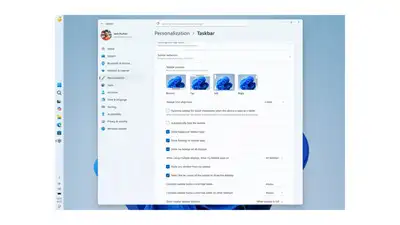
Microsoft is rolling out one of Windows 11’s most-requested changes: a movable taskbar. Starting this week, Windows Insiders in the Experimental channel can drag it to the top, left, right, or keep it at the bottom. Icon alignment adjusts too—centered or edge-aligned depending on where you put it.
Pair it with “Never combine” button mode and you get a labeled list of every open window, no hovering required. New section-level toggles let you independently show or hide Pinned, Recommended, and All—so a minimal “pins only” setup is just two flicks away. The “Recommended” label is being retired in favor of “Recent,” which is more honest about what that section actually shows.
For developers who want more vertical screen real estate, a side-mounted taskbar is genuinely useful. The Start menu is getting its own overhaul. You can now pick Small or Large, and that preference sticks across displays—no more watching it resize itself when you switch monitors. There’s also a compact taskbar option that shrinks icons and cuts down taskbar height, handy for smaller screens where every pixel matters. Layout control is improving too. That’s fixed now; the two are finally separate. You can also hide your name and profile picture from Start—useful if you’re screen-sharing or presenting.
Previously, turning off Recommended also killed recent files in File Explorer.
Microsoft design director Diego Baca says the goal is core functionality first, with polish to follow. A few things are still missing: auto-hide and touch gestures don’t work in alternate taskbar positions yet. These features are live now for Experimental channel Insiders, with more rolling out over the coming weeks.