
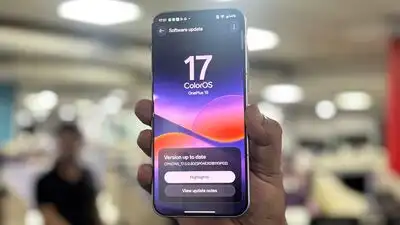
OnePlus is looking to refine this familiar experience with ColorOS 17. It comes with a redesigned interface, smoother animations, expanded customisation options and a broader set of artificial intelligence (AI) features. The operating system also introduces tools designed to help users organise files, save information, access contextual suggestions and identify potential security threats.
The first thing that stands out about ColorOS 17 is its visual approach. ColorOS 17 introduces OnePlus’ Living Flow Design, which combines translucent elements, subtle lighting effects and smoother transitions. The Luminous Rendering Engine can reduce rendering load by up to 30% in key scenarios and lower rendering RAM usage by up to 25% compared with the previous version, according to OnePlus. ColorOS 17 brings together a refreshed visual design, performance-focused improvements and a wider collection of AI tools.
Smartphone interfaces have become increasingly familiar across brands, making animations, transitions and smaller design elements important in distinguishing one software experience from another. Personalisation is another part of the update. The new Living Clock offers additional options to resize and reposition the clock, with its appearance adapting across the Always-On Display, lock screen and home screen. Fluid Cloud also brings live activities, including music playback, into the interface. The Laminar Flow Engine, meanwhile, focuses on app-launch stability, photo loading and background app retention. The redesigned interface appears to be a central part of the update, while features such as AI Mind Pilot and AI Mind Space point towards a more integrated approach to managing information on a smartphone.
We spent some time exploring ColorOS 17 on the OnePlus 15, and here are our first impressions of the operating system. OnePlus has also introduced system-level improvements intended to enhance rendering efficiency, memory management and overall responsiveness. The focus is not limited to visual changes.