
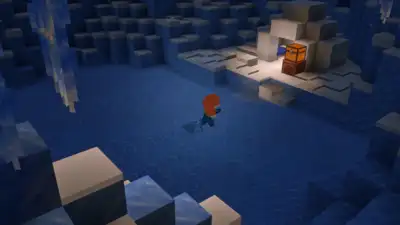
Minecraft 26.70.20 beta and preview is here with new features (Image via Mojang)
Minecraft Bedrock 26.70.20 beta and preview are here with a ton of Drop 4 features for early testing. The section provides you with a detailed guide on downloading the new Minecraft Bedrock 26.70.20 beta and preview. The launcher will download Minecraft build 26.70.20. This was all you needed to know about Minecraft 26.70.20 beta and preview. Stay updated with the latest Asian Games 2026 news , check the Asian Games medal tally and complete Asian Games schedule .
Here is a detailed breakdown of the biggest features and fixes introduced in this release: Jukebox Playlists You can now create your very own DJ set in Minecraft by placing a single Chest, Trapped Chest, or any Copper Chest variant directly above a Jukebox.
Tap the “Install” button to download and install the preview build on your Xbox. Click on “Get PlayStation 4/5 Preview” and use the download option to install it. Tap “Join” to enroll and become eligible to download the beta version. iOS (Apple App Store) The Minecraft 26.70.20 preview is available on iOS devices via the TestFlight app.
This update brings much requested automation for music lovers, new dangerous environmental hazards in the frozen biomes, and a new experimental toggle to help bring Nether spawning mechanics closer to Java Edition parity. Keep in mind that these work-in-progress versions can be unstable and may not represent the final release quality. Select the drop-down menu next to the Play button and choose “Latest Preview. Go to the Xbox Game Store or Game Pass Library on your Xbox console. Search for and locate “Minecraft Preview. Find Minecraft on your PlayStation homepage or within the game library. Head to the left sidebar and scroll down to find the Preview option. Android (Google Play Store) Open the Google Play Store app and search for Minecraft. Scroll down on the game’s store page to find the Beta Program section. Sign up through the official Minecraft TestFlight link. You will receive an email providing you with the link to download the beta. Keep in mind that the iOS beta is usually full, so check back frequently. The Jukebox will use the Music Discs inside the chest as a continuous playlist. Discs will play in slot order, skipping any empty slots or non-disc items. Brittle Ice and Crevasses You will have to watch your step in the Ice Cave biomes. Crevasses now generate throughout these frozen areas, featuring water pools at their base and a new block covering the surface: Brittle Ice. This fragile block cracks when players or most mobs stand on it, completely shattering after three cracks. Nether Spawning Rebalancing (Experimental) A new experimental toggle has been added to test Nether Spawning Rebalancing. Enabling this feature reduces overall mob density in the Nether and adjusts fortress spawning rules to more closely resemble Java Edition. Get the latest Sports News and Live updates. Download the TOI app.
The Minecraft Bedrock 26.70.20 beta and preview is now available for download on PC, Xbox, PlayStation, and mobile. Note that Minecraft Preview is available on Xbox, PlayStation, Windows, and iOS devices, while the beta is available on Android. Here are the steps to download it: Open the Minecraft Launcher on your PC. Select Minecraft: Bedrock Edition from the left-hand sidebar.